Instant popup
A floating glass panel over whatever you’re doing. Esc to dismiss.
macOS · menu-bar dictionary
/pɒp ˈdɪkt/noun
1. a dictionary that appears one keystroke away — look up an English word, hear it, translate it, and save it without leaving what you’re reading.
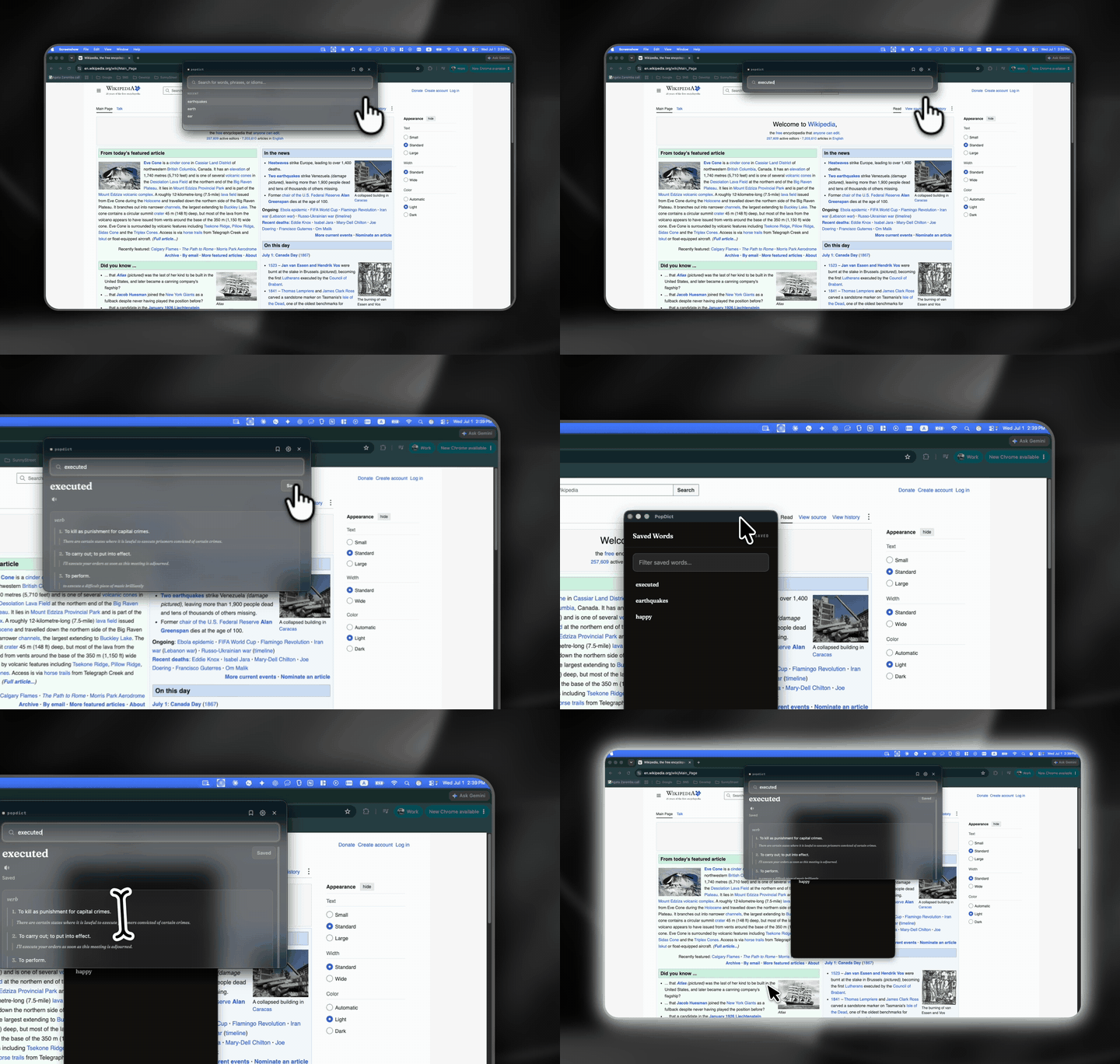
Press the hotkey, type a word, read the definition without leaving the page.
usage
Summon PopDict over any app with the global hotkey.
Type a word, phrase, or idiom and see the result immediately.
Read the definition, play the pronunciation, keep it to review.
more senses
A floating glass panel over whatever you’re doing. Esc to dismiss.
Look up exact English expressions with licensed source attribution.
Play the recorded clip, or a built-in text-to-speech fallback.
See free equivalents without signing in: Korean, Japanese, Simplified Chinese, Spanish, or Brazilian Portuguese.
Keep definitions, translations, tags, private notes, and a review schedule.
Reopen a recently fetched entry when the network is unavailable.
notes
Keep reading. Look it up on the way.
Download for macOSFree · Apple Silicon · open source